

Sometimes you want to be able to share access to a paywalled post with a limited group of non-subscribers. For example, I’ve heard from a few professors interested in assigning my post, ‘There’s No Moral Objection to AI Art’, for their classes. (One suggested it provided a perfect case study for consequentialist vs deontological thinking.) But googling around, I couldn’t find any “official” way to create and share a paywall-free link for educational use, while leaving the post paywalled to general audiences. In case anyone else is in a similar position, here’s the solution I eventually settled on:
From the post’s “edit” screen, click the ‘Preview’ button at the top right. From there, click the ‘Share’ button and you’ll see something like the below:
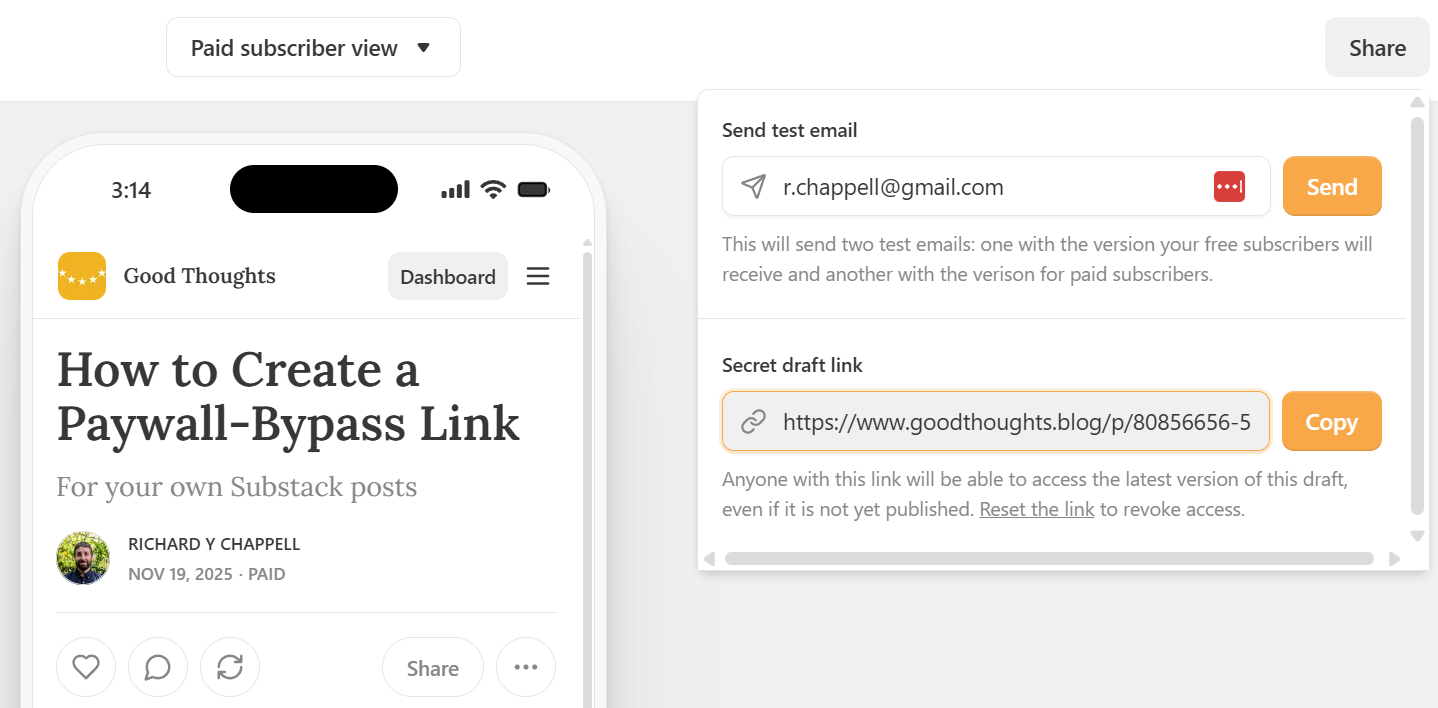
Copy the “Secret draft link” and share as desired.
You can test it out for this very post, here…